
Why Streams Lag at Night: Essential Cozy fixes for smoother streaming
If you’ve ever wondered Why Streams Lag at Night, you’re not imagining it. Many homes see smooth playback in the afternoon, then stutters, blurry quality, or spinning wheels after dinner. It can feel extra confusing when your plan says “fast internet,” yet the stream still chokes at midnight.
This guide explains what changes after dark, what to test first, and what to adjust at home so you stop guessing. It focuses on real causes like peak-hour congestion, Wi-Fi interference, device pileups, and service-side load, then walks through fixes that match each situation.
What changes after dark in most neighborhoods
Nighttime streaming problems usually come from shared capacity, not a sudden “bad router mood.” In many areas, a lot of homes use the internet heavily during the same hours. Video, games, downloads, cloud backups, and smart devices can stack up all at once. That pileup increases delays and makes streams less stable.
Some people describe it as “Internet slow at night,” and that’s a fair summary. Your connection may still be “fast” on paper, yet the experience feels worse because streaming depends on consistency, not just top speed. A small increase in latency or packet loss can turn into buffering fast.
Why streams lag at night xfinity and other cable networks
If you’ve searched Why streams lag at night xfinity, you’re usually dealing with a common cable-style pattern: neighborhoods share parts of the local network. When many households are active at the same time, the shared segment can get crowded. That crowding can show up as speed dips, higher latency, or unstable performance even when your modem signal looks “fine.”
This isn’t limited to one provider. The same “shared neighborhood segment” effect can appear in many cable and fixed wireless setups. The details change, the pattern stays similar: peak hours create pressure.
When the stream provider is the bottleneck
Not every lag issue is your internet line. Sometimes the streaming service is under load, or the path from the service to your home is taking a messy route. Live sports nights, big fights, major finals, and popular premieres can create spikes. A service may drop quality to keep playback alive. On your screen it looks like lag or constant resolution shifts.
A quick clue: if multiple apps lag at night, your home network or ISP is more likely the issue. If only one app struggles, the service or that app’s delivery path is a prime suspect.
Wi-Fi at night and why it feels worse than daytime
A lot of “night lag” is Wi-Fi behaving badly under pressure. During the day, fewer devices are active. At night, everyone comes home, phones connect, TVs start streaming, consoles begin downloads, and video calls or gaming sessions run in parallel.
That’s why people ask Why am i lagging at night even with good internet. The connection to your router can be the weak link even when the internet line is strong.
Interference and channel crowding
Apartments and dense neighborhoods tend to have crowded Wi-Fi channels. Your router competes with nearby routers, Bluetooth devices, smart home hubs, even microwave noise. Crowding can increase jitter and cause short dropouts that a speed number won’t reveal.
This is one reason you may see “good speeds” and still get buffering. Streaming needs a steady flow. Tiny interruptions create the spinner.
Distance, walls, and the living room trap
Many routers sit far from the TV area. A smart TV or streaming stick behind a TV can have a weaker signal than your phone on the couch. A weak signal can look fine when only one device is using it, then fall apart when more devices join.
If your TV is on the edge of Wi-Fi coverage, nighttime usage pushes it over the line.
Device pileups and background traffic
Night is when background traffic often ramps up: game updates, app updates, cloud photo uploads, security camera uploads, backups, and syncing. One big download can steal consistency from everything else.
If you’ve ever said, “Why is my internet so bad at midnight,” a silent background download is a common culprit. It may not kill your speed test result, yet it can ruin stream stability.
Speed test basics that actually help you diagnose night lag
A Speed test can help, yet only if you run it the right way and read more than just the download number. People run one quick test, see a high number, then feel stuck. For streaming, latency and stability often matter more than raw speed.
Run the test on the device you stream from, on the same connection type. Testing on a phone near the router is not the same as testing on a TV across the house.
What to look at beyond download speed
Download speed helps with high-quality video, yet buffering often comes from instability. Pay attention to:
Latency: higher latency can cause slow starts and laggy playback controls
Jitter: big swings in latency can trigger quality drops
Packet loss: even small loss can cause stutters and buffering
Upload: important for homes with cameras, backups, or video calls at night
If your results look fine at 2 pm and messy at 9 pm, that supports the “peak-hour congestion” theory.
Testing at two times to spot the pattern
If you want a clear answer for Internet slow at night, test twice: once during a calm time, once during your problem time. Use the same device and the same spot. If the evening test shows higher latency or worse stability, you’ve found a real pattern instead of guessing.
If your speed stays high but your stream still buffers, shift attention to Wi-Fi quality, device performance, and app settings.
How to fix slow internet at night with changes that matter
If you searched How to fix slow internet at night, start with steps that change stability, not just peak speed. Many “quick fixes” fail since they chase speed while the real problem is inconsistency.
Begin with the simplest reset path, then move into placement and traffic control.
Restart in the right order
A restart can clear stuck connections and refresh the link between your modem and your router. Power off the modem and router, wait about a minute, then power on the modem first. Let it fully come back. Power on the router next.
Do this during a calm moment, not mid-game. It’s a foundation step, not a game-day ritual.
Move the router to help the TV first
Router placement is a big deal for streaming. Put it higher, more central, away from thick walls and metal furniture. If your TV is the main stream screen, the router should support that area, not the hallway.
If moving the router is hard, consider a mesh system or a wired option for the TV. A wired line often beats every “signal booster” trick.
Split heavy traffic away from streaming
Night lag often comes from multiple devices competing. Pause large downloads during game time. Move console updates to daytime. Set cloud backups to run late morning instead of midnight.
Some routers have traffic controls that let you prioritize the streaming device. If yours has it, set it gently. Over-aggressive settings can create new problems.
When a smart TV struggles but your phone is fine
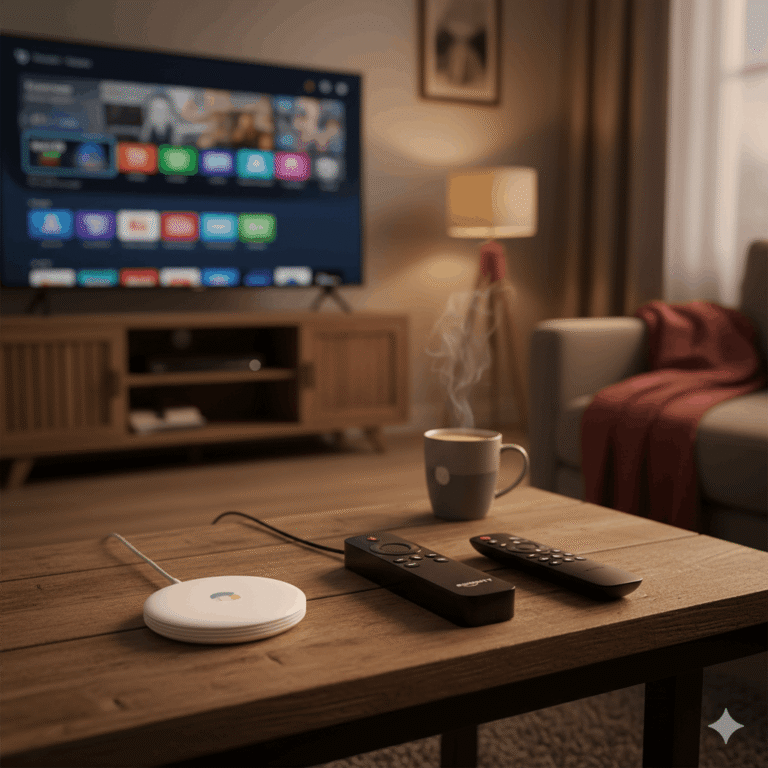
Smart TVs can be slower than modern phones. If the TV’s app is sluggish, a dedicated streaming device can feel smoother. A newer stick or box can handle apps faster and keep playback steadier, especially in busy homes.
If your TV is older, using a separate device can reduce night buffering even when the internet plan stays the same.
Why does my internet cut out at 3am and what that usually means
If you keep asking Why does my internet cut out at 3am, it often points to scheduled maintenance, modem renewals, or a line issue that shows up during overnight network work. Some providers run updates in the early morning hours to avoid daytime disruption. A brief drop can happen.
A cutout that happens every single night at the same time can be a pattern worth documenting. A cutout that happens randomly at night can suggest signal issues, aging cables, loose connectors, or a modem that is struggling.
Checking signal and stability without getting technical overload
You don’t need deep networking knowledge to spot a signal problem. If your modem has a status page, look for repeated disconnect events around the time the internet drops. If you see frequent reboots, timeouts, or loss of lock, that supports a line or signal issue.
If you use splitters on a coax line, a bad splitter can cause night instability. A loose connector can create intermittent drops that show up during busy hours.
Talking to support in a way that gets results
Support calls go better when you describe patterns clearly. Mention the exact time window, how often it happens, and whether both Wi-Fi and wired devices drop. Share that you tested daytime vs nighttime with a speed test, and that night shows higher latency or more instability.
That framing helps the conversation stay focused on congestion, signal, or maintenance patterns.
Why is my internet so bad at midnight even when daytime feels fine
If you’ve asked Why is my internet so bad at midnight, the answer is often a mix of peak-hour traffic and home behavior. Midnight can be a strange time: fewer people awake, yet many devices start scheduled work. Phones back up photos. PCs download updates. Consoles patch games. Security systems sync footage.
So you may see “less human use” but more automated traffic.
Another common twist: some homes see the opposite pattern and ask, Why is my internet slow during the day and fast at night. That can happen in neighborhoods where daytime work-from-home use is high, then evening use spreads out. It can happen in homes where daytime Wi-Fi interference is worse, then the signal improves at night. The pattern depends on your neighborhood and your household behavior.
The best move is to test, then match fixes to the pattern you found.
App and stream settings that reduce buffering during night congestion
A lot of people try to “power through” night lag by reloading the stream. That can make it worse if the app keeps renegotiating quality and losing its buffer.
A calmer approach is to reduce how hard the stream has to work during peak hours.
Use stable quality settings during busy hours
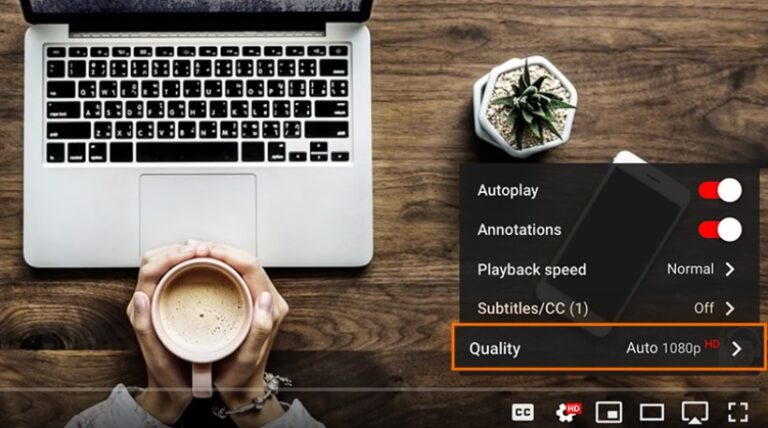
Auto quality can bounce up and down during congestion. Locking the stream to a slightly lower quality can reduce buffering and keep audio steady. For live sports, consistent playback often feels better than perfect sharpness.
If your device supports it, turning off fancy motion smoothing on the TV can cut processing strain and reduce stutter-like effects that get mistaken for buffering.
Clear app clutter and restart the app, not just the stream
Apps can get stuck in a bad state after long use. Closing the app fully, restarting it, and rebooting the streaming device can help. On phones and Android-based devices, clearing the cache for the streaming app can remove glitches that trigger constant rebuffering.
If you see Why is my YouTube buffering with fast internet patterns, try a quick app restart and test YouTube on another device. If one device buffers and another is smooth on the same network, the problem is local to that device or app state.
A simple isolation plan when you feel stuck
Night lag feels frustrating since everything looks “fine” until it isn’t. The fastest way to get clarity is a short isolation routine.
Start by checking if the lag happens on multiple apps. Then check if it happens on multiple devices. Then check if it happens on Wi-Fi and wired. Each step narrows the cause.
If only one app lags, focus on that app’s settings and device performance.
If every app lags, focus on Wi-Fi and ISP congestion.
If Wi-Fi devices lag and wired is fine, focus on router placement and interference.
If both lag, focus on the ISP line, congestion, or modem stability.
This approach answers “Why Streams Lag at Night” with evidence, not guesses.
Conclusion
Why Streams Lag at Night usually comes down to shared network pressure, crowded Wi-Fi, background traffic, or stream delivery spikes during popular events. A speed test helps when you run it on the same device and time window that matches the problem, then look at stability markers like latency and packet loss. Real improvements often come from better router placement, reducing night-time background downloads, using steadier quality settings, and documenting repeat cutouts like the ones people describe when they ask why does my internet cut out at 3am.
Once you match the fix to the cause, nighttime streaming stops feeling random and starts feeling predictable.